Skip to main content
How do I find my payment receipt for my Investment?
- Log in to your pitchIN account and go to your Dashboard.
- From your Dashboard, navigate to "ECF Investments" in the left sidebar.
- Then, you will see two tabs: "Active Campaigns" and "Completed Campaigns." Select the tab where your investment is located.
- Locate the specific investment for which you need the receipt.
- On the right side of that investment's row, click on the three dots ( ⋮ ) icon.
- A dropdown menu will appear. Select "View payment receipt" to open and view your receipt (refer image below).
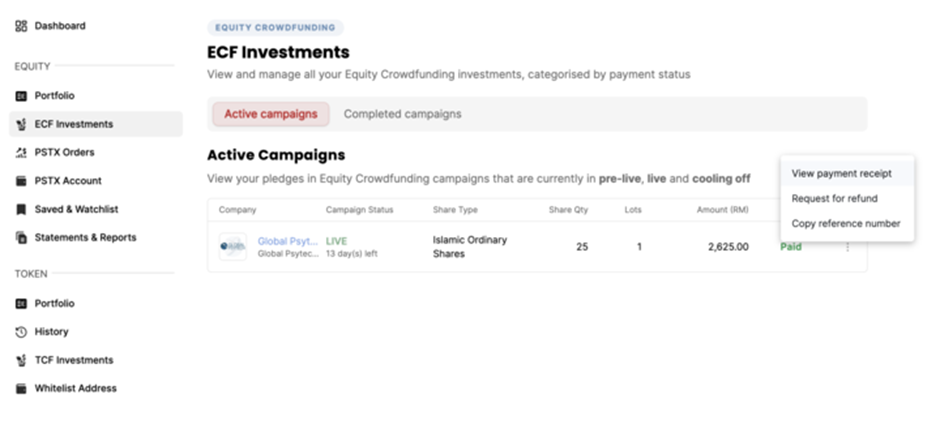 Click on the view payment receipt button view your payment receipt.